
AI Porn Cum: Making Cumshot Clips From Preset Cards
AI porn cum without prompt-wrestling: GoLove.ai wins on video presets — Belly Cumshot, Deepthroat Cum Spit as one-tap cards. Pick a character and try it.
The Cum Shot Became a Preset Card
The finish used to be the part you begged a prompt for and rarely got. On GoLove.ai it's a card with a name on it, 'Belly Cumshot' or 'Deepthroat Cum Spit', one tap away and sitting in the same row as 'Twerk' and 'Hard Doggy Style'.
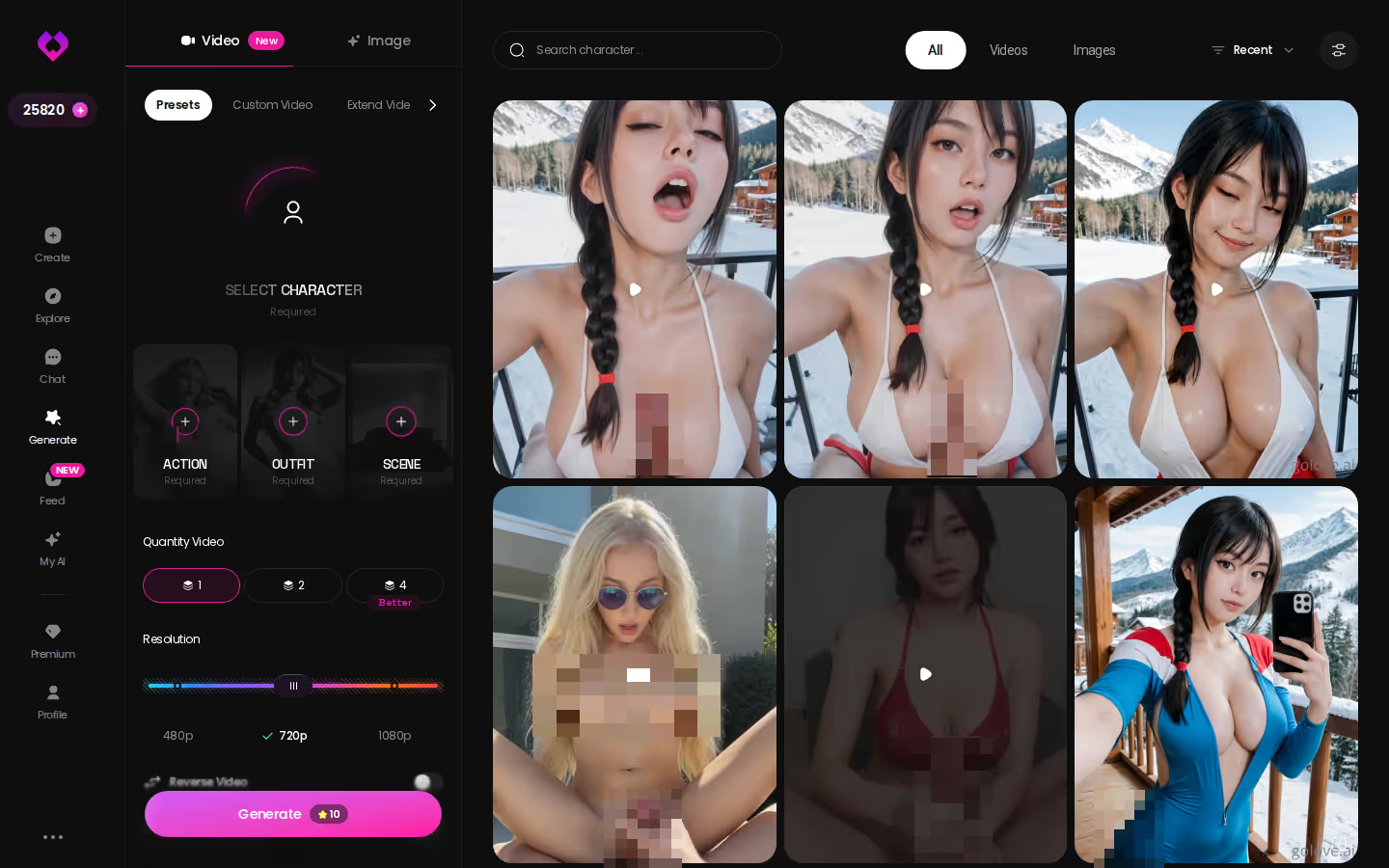
That one design choice changes the whole job. Most AI porn video generators hand you a text box. You describe the ending, the model reads it loosely, and the clip tends to stop a beat before the part you actually wanted. GoLove's Generate hub works differently: Video and Image modes sit side by side, a Presets dropdown waits at the top, and the ending is something you pick from a menu instead of something you write.
Three cum-adjacent video modes carry this walkthrough:
- Belly Cumshot: the finish on her stomach
- Deepthroat Cum Spit: an oral scene with the finish built in
- Spread Legs Creampie Drip: the creampie ending as its own mode
Why GoLove.ai and not something else? Two reasons. Those finishes exist as presets, and every clip is attached to a character you keep, someone you can chat with, call, and come back to tomorrow. From here the path is short: pick the character, stack the cards, tap once. After that, two shortcuts keep you from starting at zero every time.
Takeaway: you're not fighting a prompt anymore. You're choosing a card.
Step One: Pick Who the Clip Is About
Here's the deal-breaker, and it comes before any settings: the generator is per-character. No character, no clip. So the first real decision is who stars in the scene, and the prompt question doesn't even come up yet.
 9 episodes
 Watch now
 6 episodes
 Watch now
 6 episodes
 Watch now
 5 episodes
 Watch now
 8 episodes
 Watch now
 5 episodes
 Watch now
 5 episodes
 Watch now
 7 episodes
 Watch now
 5 episodes
 Watch now
 5 episodes
 Watch now
 5 episodes
 Watch now
 7 episodes
 Watch now
There are three ways in:
- Explore. Anime AI girlfriends get their own category with 300+ characters, separate from the realistic roster.
- The avatar swap. Inside Generate, the avatar in the top-right corner switches which character you're working with, so you never leave the page.
- /create. Build your own under Realistic, Anime or Trans. There's also Design with AI, where you describe a concept in text and the AI builds her for you.
Every character on the platform is an adult. Akiyama Emu, for example, is 22 and pitched as the flagship leader of the Iron Blood who wants "a port to call home."
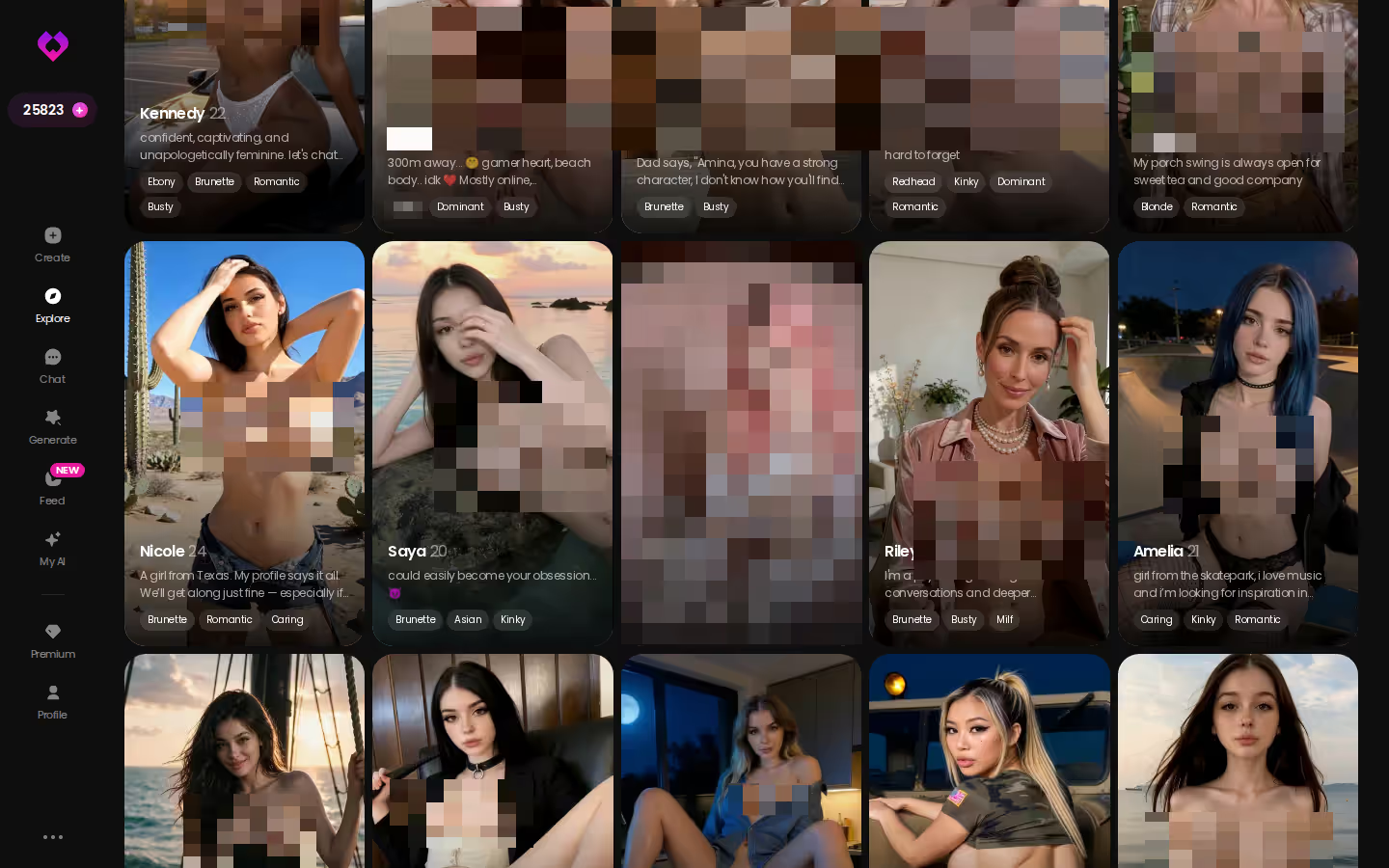
A profile is more than a photo, too. Each one carries All, Videos and Photos tabs, and the top characters run to hundreds of videos and thousands of photos. Right there on the profile sits a Create Video button.
That button is the reason to browse now rather than later. Find a character whose look and personality genuinely work for you, and her profile drops you straight into the generator with her already loaded. No setup, no hunting for the avatar swap.
Takeaway: choose her first. Everything else stacks on top.
Stacking Action, Clothes and Background, Then One Tap
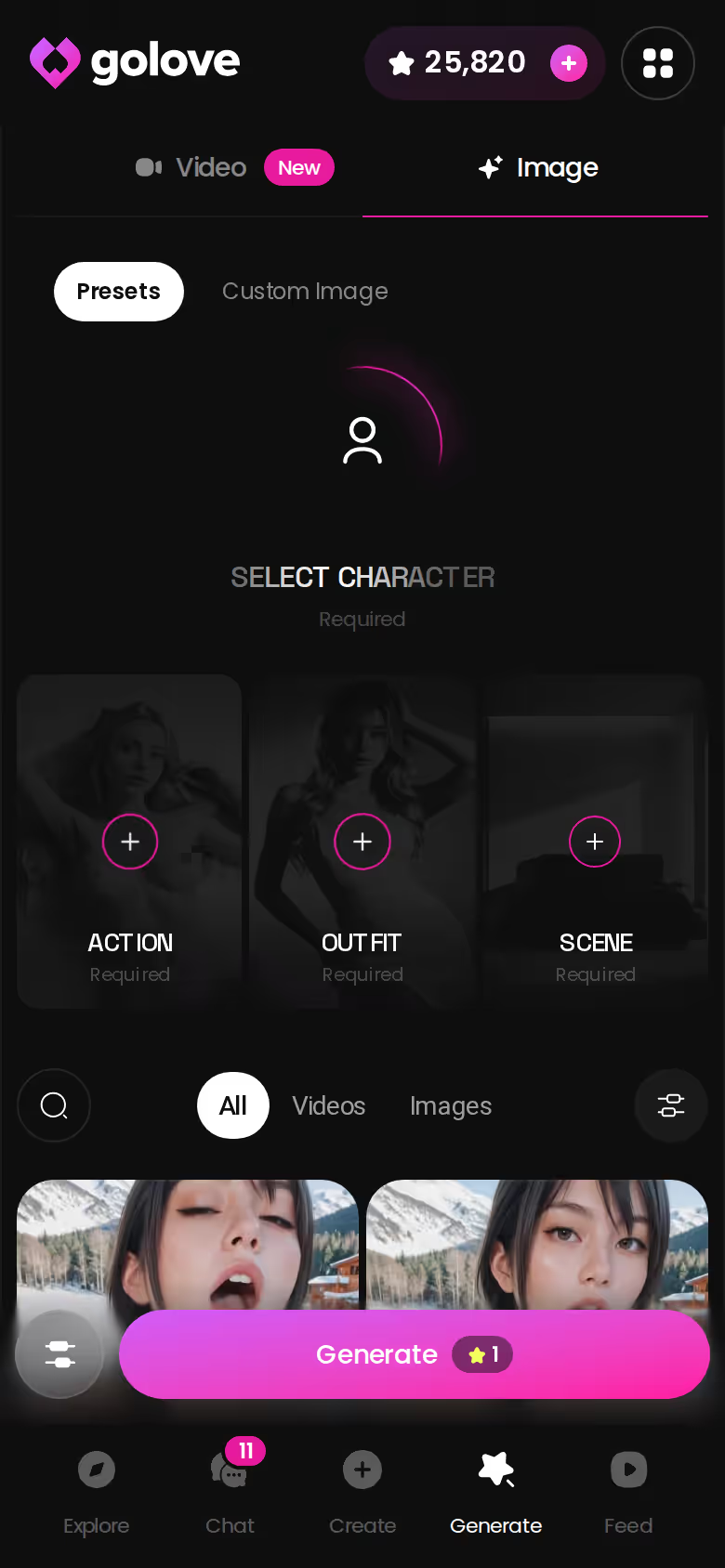
This is the core of the how-to, and it's shorter than you'd expect. No prompt to write. A video gets assembled from three kinds of visual preset cards:
- Open Generate and choose the Video tab. Glance at the avatar top-right and confirm it's the character you picked. If it isn't, swap it right there.
- Pick the action card. The finish lives here: Belly Cumshot, Deepthroat Cum Spit or Spread Legs Creampie Drip. Hard Doggy Style, Twerk, Instant Undress, Spitroast and Squirt share the same row, in case you'd rather build a non-finish scene.
- Add a Clothes card and a Background card, then tap Generate once. That's the whole sequence.
76 realistic video modes. 147 in total across realistic, anime, trans and anime-trans.
Landed on a combo you like? Save it in the Presets dropdown, and re-picking three cards for every variation stops being a chore.
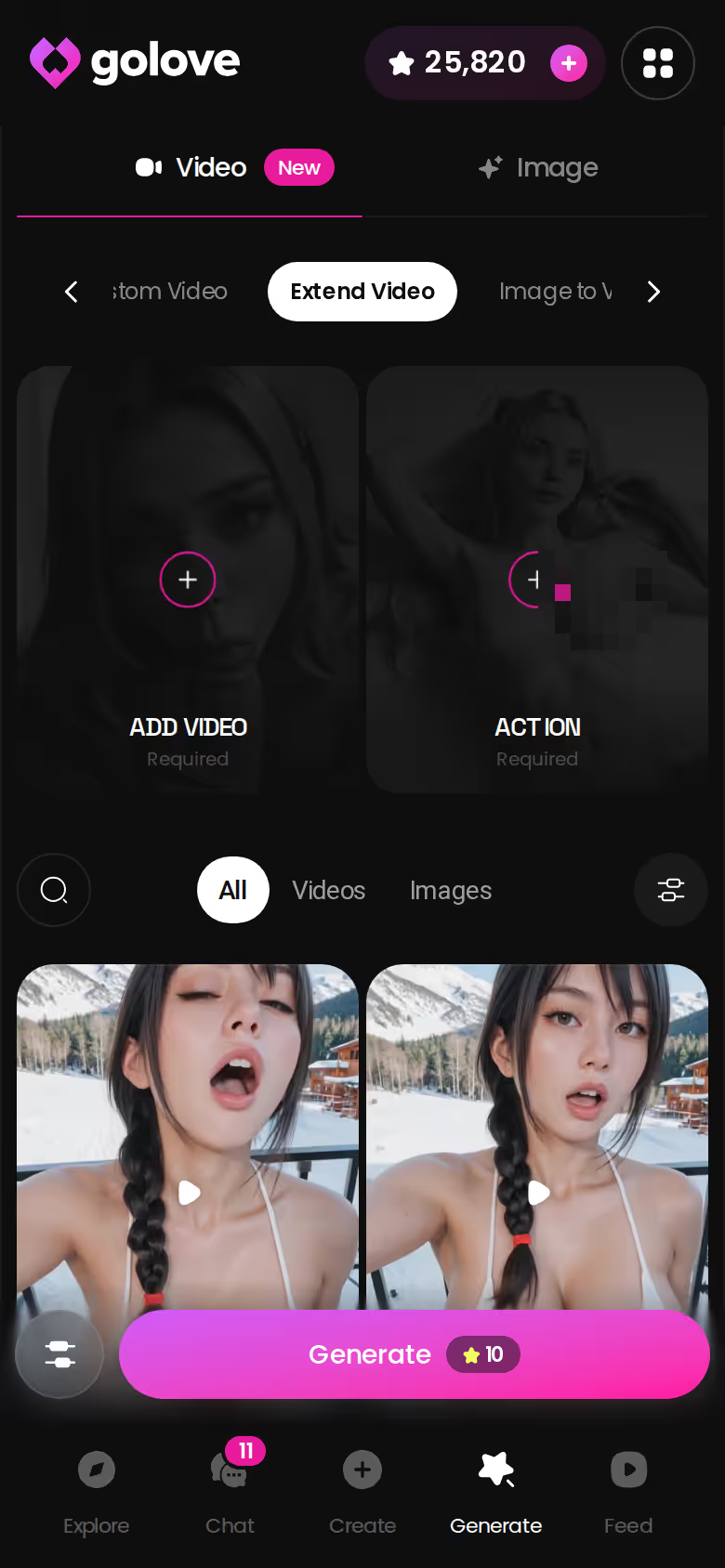
On mobile there's also an Extend Video option, which earns its place when a clip ends a moment too early and the finish needs more room to play out. One thing I can't confirm is the Star cost of a generation, so check it in the app before you queue up several.
Characters you can open right now
Tap any of them and the chat starts there



Takeaway: action card, clothes, background, one tap. Once a combo delivers, save it.
Stills, Batches and What the Anime Set Covers
Not everyone wants a clip. If a set of stills is more your thing, the Image tab runs on the same card logic:
- 35 realistic picture poses, grouped into casual, suggestive, body-focus, explicit, positions and lesbian, plus a custom pose
- 21 outfits and 34 backgrounds, each with a custom option
- Batch sizes of 2, 4 or 8 images per run
The batch setting is the genuinely good part. Run eight variations of one explicit pose and keep the best two.
Now the honest bit for anime fans, since most guides skip it. The anime set is its own list, with 15 picture poses and 20 video modes. Those picture poses include hentai-only modes the realistic side doesn't have: ahegao, paizuri, stomach bulge and tentacle. The catch? The three named cum finishes from earlier sit on the realistic video list.
| What you get | GoLove.ai |
|---|---|
| Voice | Live calls and voice messages |
| Memory | Remembers your chat history |
| Photos in chat | On request |
| Image generator | 35 realistic poses & 21 outfits |
| Daily reward stars | 2 every day |
Can I do this with an anime waifu? Yes for anime generation in general, and the hentai picture poses are an easy choice. For a cum finish on video, though, don't assume the realistic card has an anime twin. Switch to an anime character and scroll her 20 video modes in the app to see what's actually there.
Takeaway: stills are flexible and come in batches. On the anime side, check the list in the app before you build a plan around one specific finish.
Two Shortcuts: Remix a Feed Clip or Ask Her in Chat
Building from blank cards works fine. These two routes are faster.
The short version: GoLove.ai puts live voice calls, memory and photos on request in one chat, and its image generator adds 35 realistic poses and 21 outfits. You also get 2 reward stars every day you log in.
Remix from the Feed
Picture it: you open the Feed and swipe through full-screen clips, one at a time. One is nearly right (right character, right background, wrong ending). You double-tap to save it to your Liked tab, then hit the magic-wand Remix.
/generate opens with that clip's character and the exact generation settings behind it already loaded, so there's no reverse-engineering which cards someone used. Swap the action card for Belly Cumshot, or drop your own character in place of hers, and regenerate. And because the Feed runs on the same generator every user has, nobody else is sitting on a hidden tool.
Ask her inside the chat
The second route skips the generator entirely, and it's my favorite of the two. In the character's chat you can request a photo, and it lands right in the thread. From there you can turn it into a video, or open the Select Action modal and pick a scene. Say you type that you want her on the balcony in what she wore yesterday: she has the memory of your history to work with, so the request reads as part of an ongoing conversation instead of a cold order.
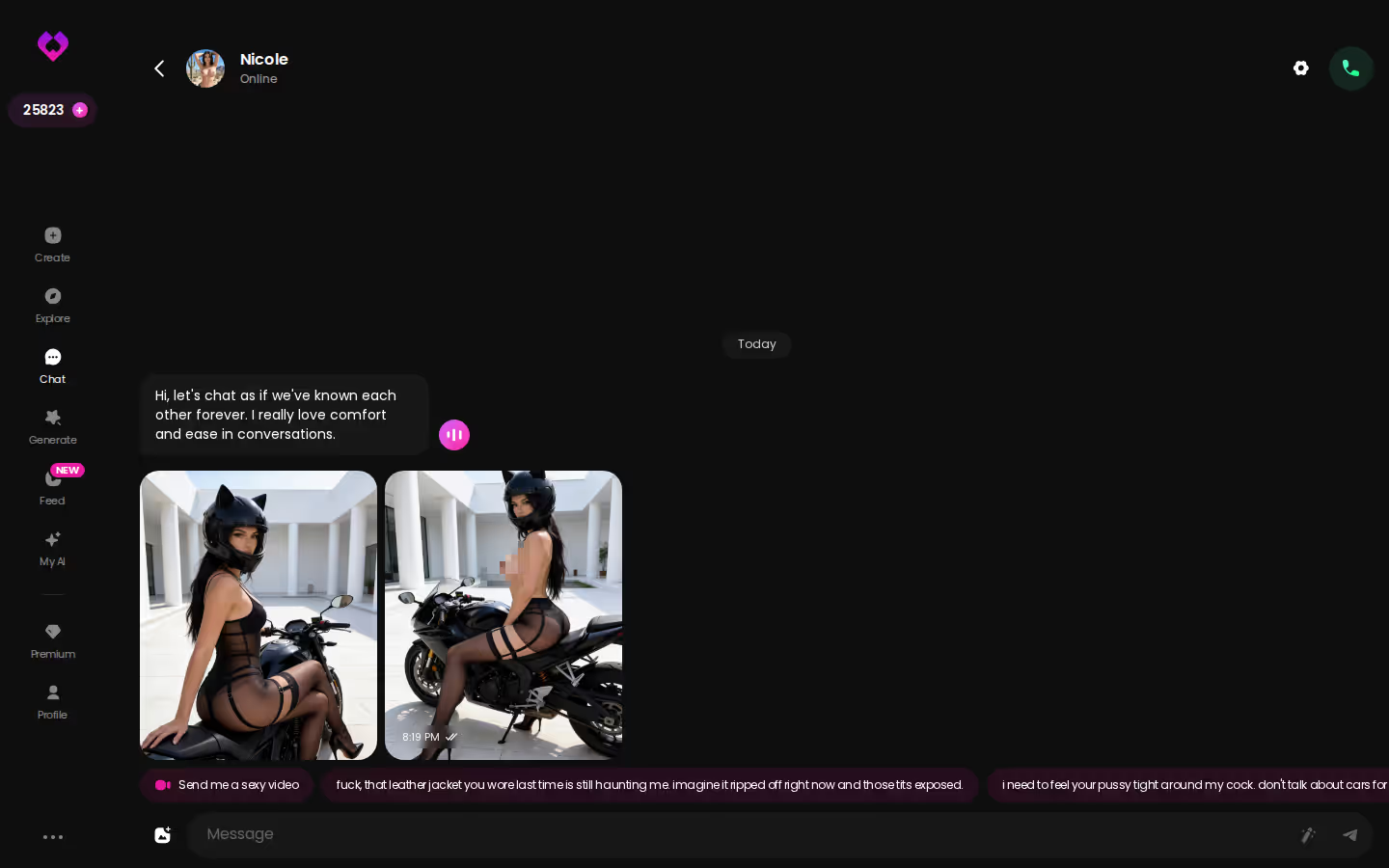
The clip is a scene with someone you keep talking to, not a file you download and forget.
Takeaway: Remix copies settings exactly, so there's no guessing. Chat keeps the context.
GoLove.ai's Free Tier: Where the Paywall Sits
Deal-breaker first: generation spends Stars, and a per-video Star cost isn't something I can give you from what I have. Check the current plans in the app before you count on anything. What I can confirm:
- Daily Stars. Free accounts get 2 reward Stars every 24 hours. Beyond that, I can't state anything about the free tier.
- Feed limit. The Feed shows a limited number of new videos per day, after which an "Unlock Unlimited Feed" paywall appears.
- PRO. The parts of PRO I can confirm are the unlimited Feed and the Feed filters (Realistic/Anime, gender, age). For anything else, check the plan page.
Prices as of July 2026 are approximate and vary by region and promo. Some regions see PRO as low as about $12.99/month, and -50% and -70% promos have appeared.
- PRO costs about $19.99/month, or about $9.99/month on the annual plan (about $119.88/year).
- Star packs run from about $9.99 to $179.99.
For fair context, two competitors:
- Candy AI starts from about $12.99/month and has a deep character builder. Images, voice and video use extra tokens on top of the subscription.
- OurDream starts from about $19.99/month (about $9.99/month annually) and bundles chat, images and video in one plan. Media draws on a separate DreamCoins balance.
None of the three is all-you-can-generate. GoLove's Stars model rewards someone who picks a card on purpose; if you like spamming re-rolls, it'll feel tight.
Takeaway: the prices land somewhere between lukewarm and fair. Plan your first generations with intent.
What I'd Do With the First Handful of Stars
Limited Stars means a tight first run. Re-rolling blank prompts is an instant skip.
Here's the order I'd follow:
- Pick one adult character you actually like. Maybe an anime girl from Explore, maybe one you build in /create.
- Find a Feed clip close to the finish you want and Remix it. Change only the action card, to Belly Cumshot or Spread Legs Creampie Drip, and leave every other setting alone.
- Keep the result with her. Request a photo in chat, turn it into a video, and let her gallery and memory build up instead of starting over with someone new each time.
Who it's for: adults who want a cum finish chosen as a named preset rather than coaxed out of a prompt, attached to a character with chat, memory, voice calls and in-chat photo and video requests. Anime fans should check the 20 anime video modes in the app first, because the named finish cards are on the realistic list.
The winner here is GoLove.ai. She remembers you, takes your calls and answers your photo requests, and the finish is a named card instead of a lucky prompt. That combination is the whole reason I'd point you there.
Three cards and one tap stand between you and your first clip. Start with the character you'd want to keep talking to afterward.
Frequently Asked Questions
01How do GoLove.ai's cum video presets actually work?
On GoLove.ai, the AI porn cum finish is a named action card like 'Belly Cumshot', 'Deepthroat Cum Spit' or 'Spread Legs Creampie Drip', so you don't have to describe it in a prompt. Open Generate, pick the Video tab, and check that the avatar in the top-right corner is the character you want. Then stack the action card, a Clothes card and a Background card, and tap Generate once. Those finishes sit among 76 realistic video modes (147 across all categories), and you can save a combo you like in the Presets dropdown so you don't re-pick three cards every time.
02Can I generate a cum finish with an anime character instead of a realistic one?
Partly, and it's worth being straight about it. The three named AI porn cum finish cards are on the realistic video list. The anime set is its own list with 20 video modes and 15 picture poses, including hentai-only poses like ahegao, paizuri, stomach bulge and tentacle. Before you plan around a specific anime cum scene, switch to an anime character and scroll her 20 video modes in the app to see what's actually there.
03What does Remix in the GoLove Feed copy from a clip?
Remix copies everything: tap the magic wand on a Feed clip and /generate opens with that clip's character and the exact generation settings that produced it. So if a clip has the right girl and the right background but not the cum ending you want, you only swap the action card, say to Belly Cumshot, and regenerate. You can also put your own character in. The Feed runs on the same generator every GoLove.ai user has, so there's no hidden tool behind those clips.
04How does GoLove.ai run on mobile?
Pretty smoothly. On mobile, GoLove.ai's bottom navigation has Explore, Chat, Create, Generate and Feed, so the AI porn cum generator and the Feed are both one tap away. The Feed is a full-screen vertical scroll you swipe up and down. The mobile generator has Image mode with pose cards and batch sizes of 2, 4 or 8, plus an Extend Video option for when a clip ends just before the finish plays out.
Related Articles
 Insights11 minSeptember 7, 2026AI Hentai Blowjob: Which App Actually Delivers?AI hentai blowjob content: GoLove.ai wins with in-chat photo/video requests, memory & voice — not a one-off generator. See the comparison.Read article
 Insights11 minOctober 16, 2026AI Porn Hardcore: Tentacle, Ahegao and Paizuri ModesAI porn hardcore on anime terms: GoLove.ai wins on 20 anime video modes plus in-chat photos of the same waifu — see the Star costs and limits.Read article
 Guides11 minNovember 6, 2026Image to Video Porn: Animate Your Waifu for 10 StarsImage to video porn works best on GoLove.ai — Image to Video, Extend and in-chat photo-to-video on one anime waifu. See the Star costs before you generate.Read article